Free
For trials, new operators, and smaller active job lists.
AUD 0/month
- Up to 10 active jobs
- Add clients, properties, jobs, quotes and invoices
- Add photos and notes, record payments, import and export data
 Runcina
Start free
Runcina
Start free
Lawn care business software
Plan repeat visits, move rain-hit jobs and record the work at each stop. For solo mowing operators and small crews.

Straightforward pricing
Choose a paid plan when you need more active jobs.
Choose the country where your business is based. Use the same country in your business settings before upgrading.
For trials, new operators, and smaller active job lists.
AUD 0/month
For a growing mowing round with more than 10 active jobs.
AUD 19/month
Australia monthly paid plan · Per business
Contact support about availability before choosing a plan.
| Business country | Monthly price |
|---|---|
| Australia | AUD 19 |
| New Zealand | NZD 25 |
| United Kingdom | GBP 11 |
| Canada | CAD 20 |
| United States | USD 15 |
For another country, ask support about availability before choosing a plan.
Checkout uses the country saved in your business settings. Confirm the price and any applicable taxes before paying.
What counts as an active job? Each pending or in-progress job counts toward the limit, including future recurring visits already created in your schedule. Completed, cancelled and postponed jobs do not count. This is a limit on work currently scheduled, not ten new jobs per month or ten customers.
Stripe processing and a separate Xero subscription can add charges. Pay-per-use SMS is coming after launch. See integration setup and costs.
The business owner manages subscriptions in the web app. How to manage or cancel your plan.
How it works
Select any screenshot to open it full size.
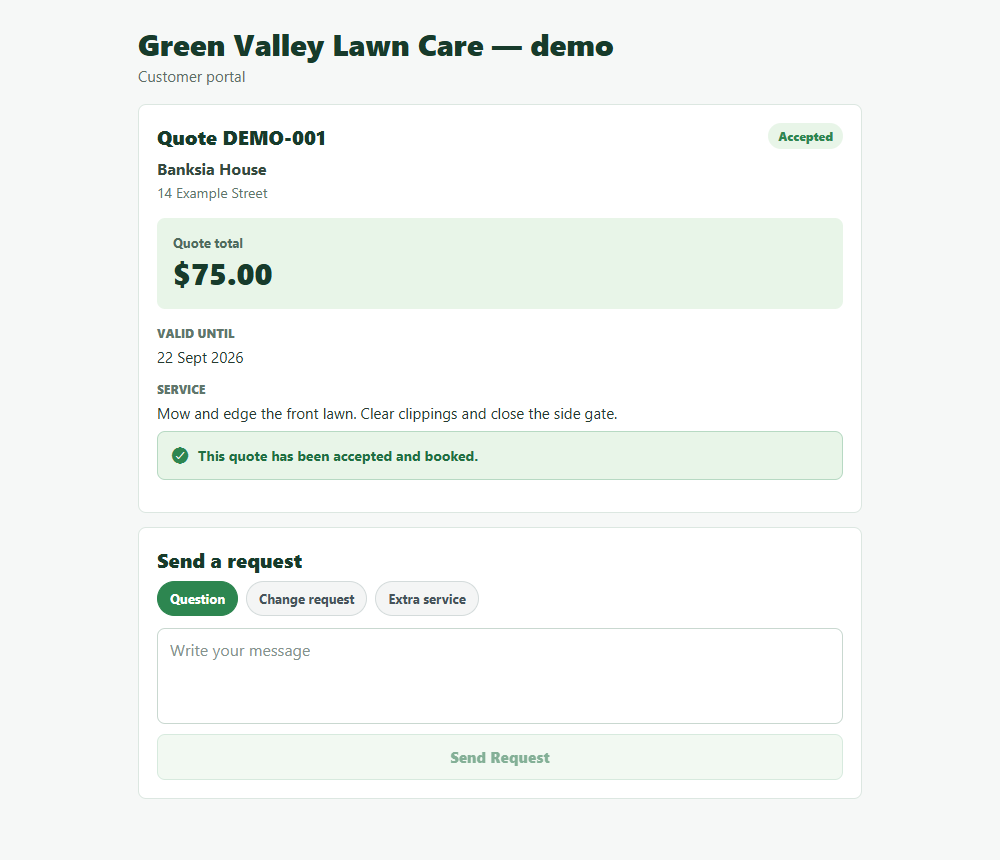
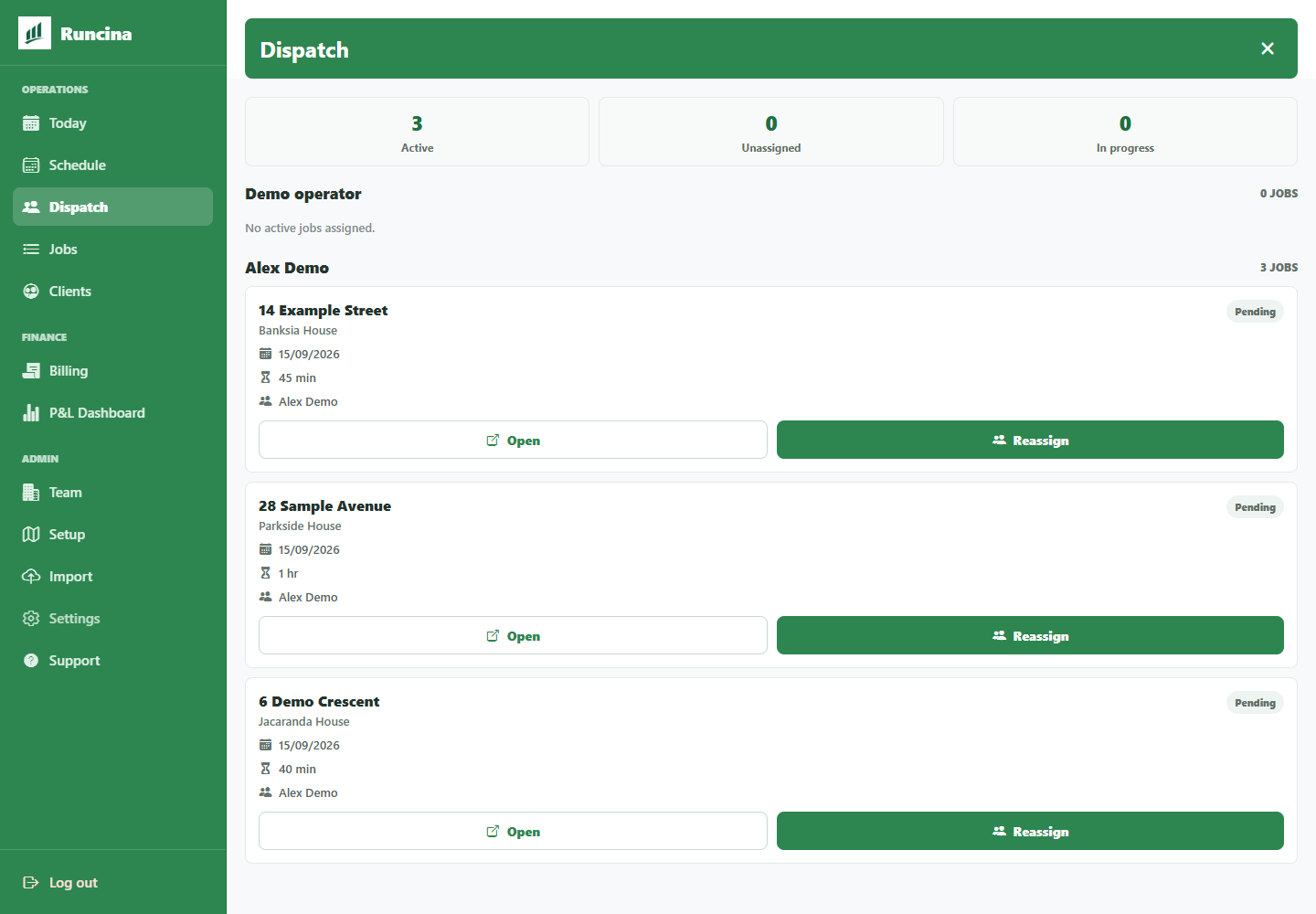
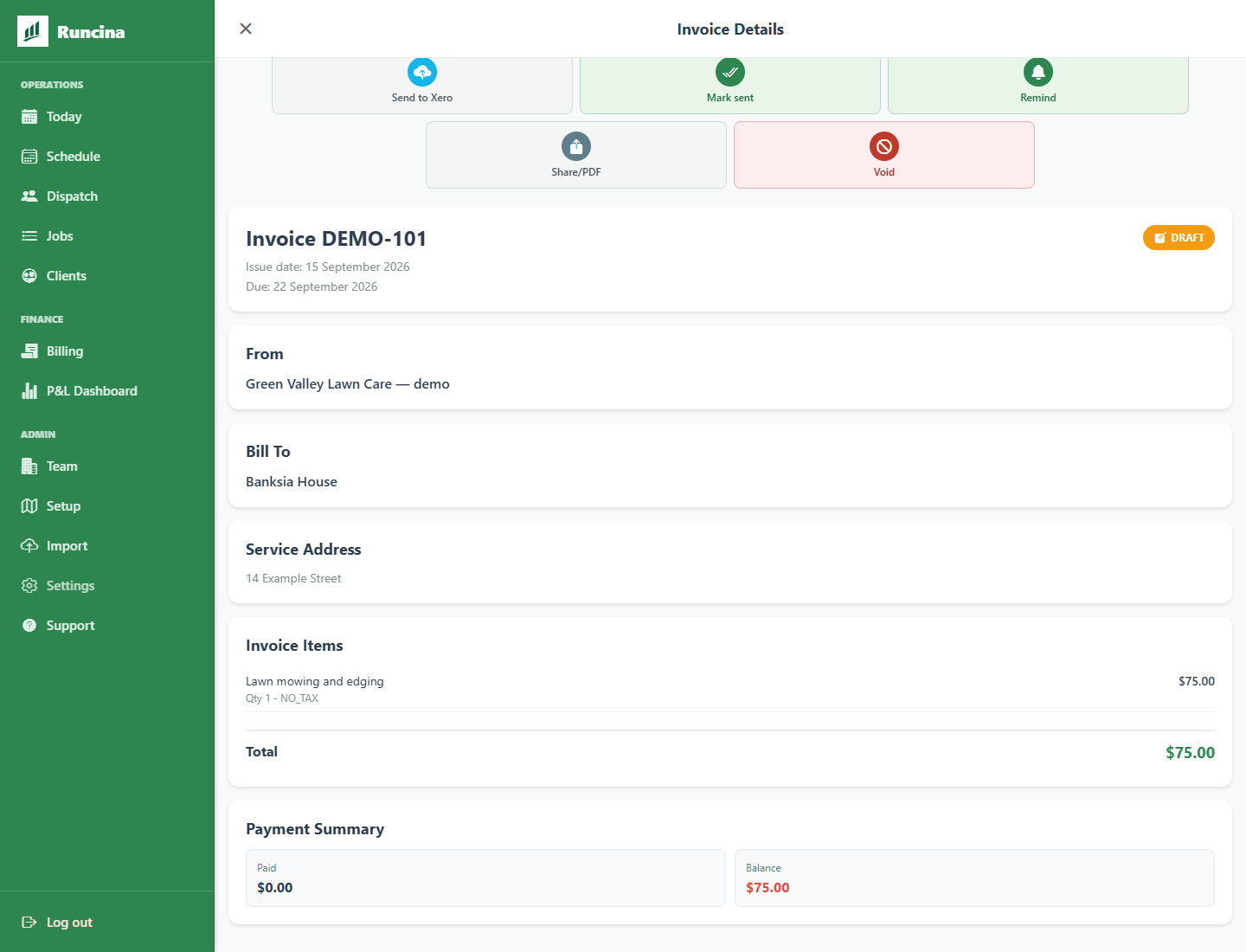
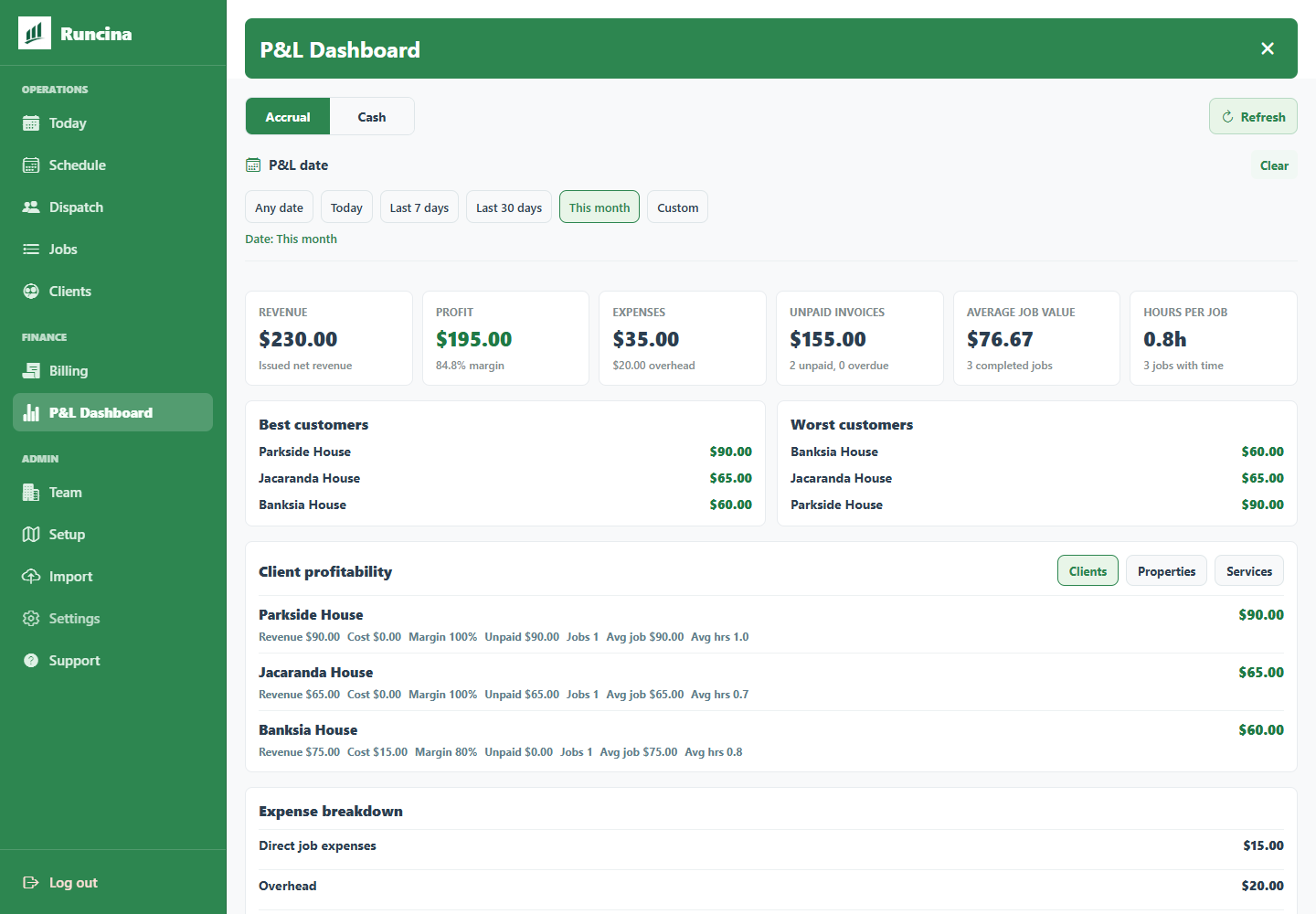
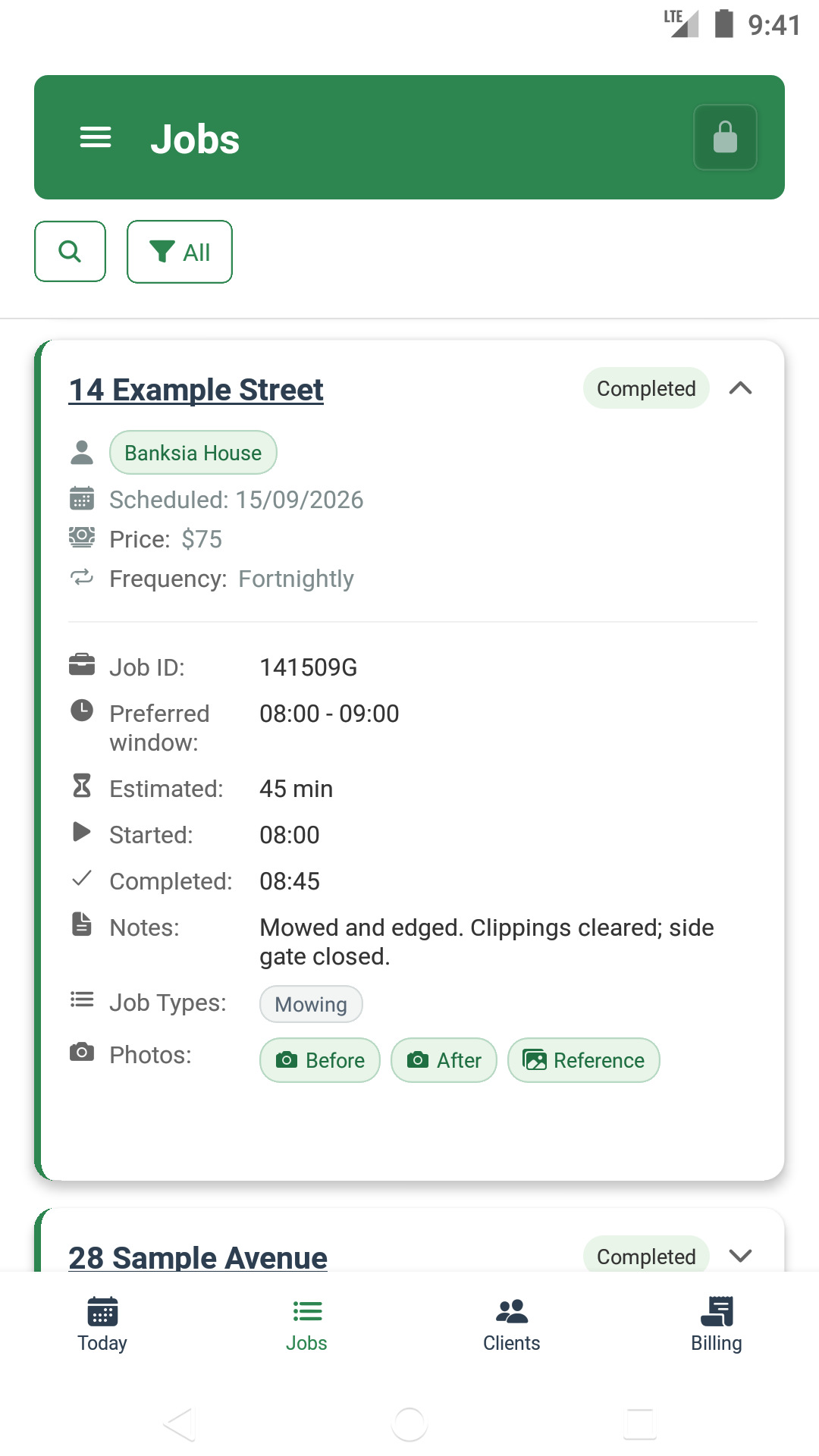
Real app screens show Alex’s fictional AUD 75 fortnightly visit at 14 Example Street, from accepted quote to recorded work, invoice and monthly report.
Customer details, work times and report totals are sample data created for this walkthrough.


The gallery uses a labelled sample lawn photo by MV Vacation on Unsplash, not customer work.


More tools
Set visits weekly, every two weeks or monthly, with each property’s price and job history.
Plan a recurring roundFind each customer’s contact details, property access notes and previous work in one place.
See which invoices are unpaid, compare income and expenses, and review tax summaries and completed work.
Postpone a visit or choose a new date yourself. Weather checks and suggested dry dates are coming after launch.
Handle a rain delayChoose who handles each visit. Crew members can update progress, add photos and contact customers.
Prepare a crew handoffImport customers, properties and jobs from a CSV spreadsheet file. Download your business records for your own reporting.
Get the CSV templateConnect your Xero organisation and export unpaid invoices as drafts for your bookkeeper to review.
See the Xero workflowSend customer emails when you choose. Automatic reminders and pay-per-use SMS are coming after launch.
See availability and setupWho can do what
Share the business workspace, assign visits and choose who can make changes.
Manage the subscription, connect payment accounts and choose each person’s role.
Add customers, schedule visits, assign crews, create invoices and import records.
Update progress and notes on assigned visits, add photos, and open customer details or directions.
What your team can see. Members can view the business’s jobs, customers, properties, quotes, invoices, payments, expenses and saved business settings, including records beyond their assigned visits. Roles control which actions they can take.
Read this before inviting your crewPractical guides
Real app examples and steps for the decisions you make during a mowing round.
Set the next visit, understand recurring dates and check the plan after a wet day.
Plan your mowing roundCheck the draft, share it with your customer and record what has been paid.
Follow the invoice stepsAssign the work, record the field visit and give the office the details it needs.
Prepare a crew handoffGood to know
Yes. Set visits weekly, every two weeks or monthly, order the day's stops and assign work to your crew. Keep each property's notes, photos and work history together, then create invoices from completed jobs.
Yes. Choose the work and any extras, then share the quote as a PDF or a link your customer can open. Turn an accepted quote into a job.
Yes, after the business owner connects a Stripe account. Share a payment link for an invoice, or record cash and bank-transfer payments yourself.
Members can update progress and notes on assigned visits, add photos and open customer contact details or directions. They can also view the business's other jobs, customers, properties, quotes, invoices, payments, expenses and saved business settings. Owners and admins manage operational records; the owner manages subscription billing, payment-account setup and team roles.
Only some tasks. Open the day's jobs while you have internet. If a completion or date change cannot be sent, the app can keep the request on this device for retry.
Tap the app's sync-status icon to check. Queued means the change is waiting to be sent. If it still says Saving, keep the app open. Once you're online, tap Retry and check that the job has updated.
You need internet to upload photos, set up a new customer and property, import files, create invoices or payment links, manage subscriptions or delete an account.
Android and the web app launch first, with iOS planned next. Use the web app for office work and Android in the field. Sign in to the same business to work with the same jobs and customers.
Start with your regular customers
Add your regular mowing visits and try the workflow with up to 10 active jobs free.